
Cutting Edge or Cutting Corners? Testing Design-to-Code Tool Locofy.ai
Many industries are in a state of flux with the emergence of generative AI technology, and web development is no exception. At PaperStreet, we stay on top of the latest trends in artificial intelligence by testing the latest and greatest tools.
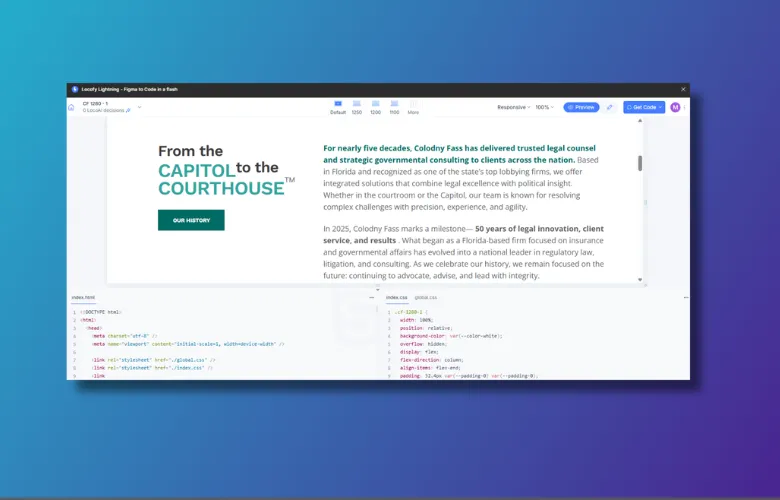
Locofy for Figma (https://www.locofy.ai/) is one such tool. It is a powerful AI plugin for Figma made to turn a design file into usable code, including HTML, CSS, and JavaScript. In other words, it’s capable of building a fully functional webpage from just a visual design.
The promise of this is both exciting and a bit unsettling – after all, our development team is trained to turn designs into live sites via code editors. How close are we to AI tools like this being a practical reality for professional use? We tried it to find out.
Onboarding and Preparation
It is clear from the start that Locofy is the result of serious engineering. The UI and the entire process are thoughtfully designed, complete with tutorials, pre-check steps, and preview opportunities.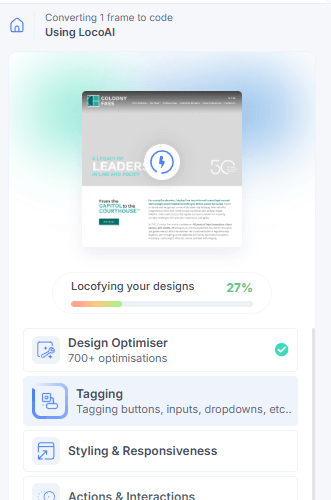
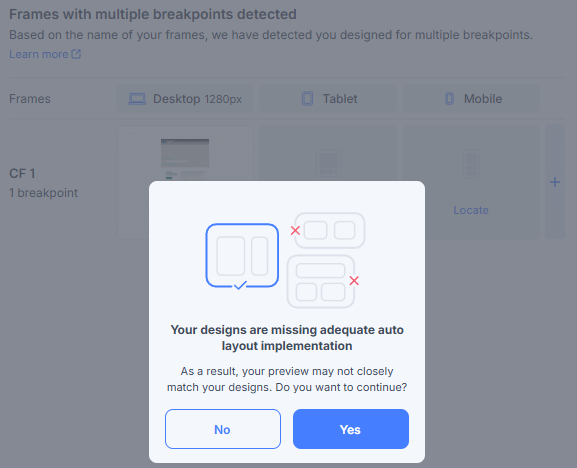
But we quickly learned that you can’t just click “Export” and walk away. Our first step was watching a 20-minute video explaining what separates a “poorly prepared” design file from one the AI can actually read. You feed the design file to the system, it works its magic, and you get a result. The thing is, the result is greatly influenced by what Locofy understands.
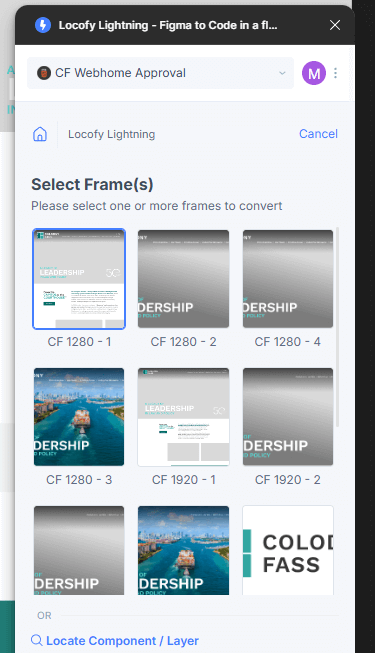
For an agency like ours, this introduces the question of prep time. Our designs are crafted for human users and high-end aesthetics, not primarily to be “fed to a machine.” To get quality output, our design team would need to change how they organize Figma files. If we spend hours prepping a file for an AI to save us four hours of coding, the efficiency gains start to shrink.
The Token Model
Locofy operates on a token system (LD Tokens), and the economics are worth describing. During our test, a single 1280px homepage frame used an estimated 138 of our 600 free tokens just to generate the code.

At approximately $0.40 per token, the costs for this AI-based development could add up quickly. While it is cheaper than a developer’s hourly rate, every “click” to produce code carries a price tag. For a complex site with up to a dozen unique pages and responsive breakpoints, cost would be a major consideration.
Code Review and “Div Soup”
When we analyzed the code Locofy produced, we found mixed results.
First, the AI suffered from “div soup”—a term for overusing generic <div> tags instead of semantic HTML (like <section>, <article>, or <nav>).
Our SEO/accessibility review noted some fundamentally bad practices, such as the multiple use of <h1> tags on a single page. This is a red flag for Search Engine Optimization as it confuses web crawlers. We also found hurdles for ADA compliance and screen readers, which rely on a logical heading hierarchy to help visually impaired users navigate a site.
Naming conventions for CSS on HTML elements were often vague, making the code harder for a human to grasp and update later.
The Last 20%
Locofy estimates that with an extremely well-prepared design, the AI can take you 80% of the way to a finished product. This is impressive and can indeed be a major efficiency boost. But we found that much of what would be traditional development time is instead spent not just preparing design files, but then in the Locofy editor itself. Late in the process, there are preview and in-browser editing tools that let you further refine the output you’ll receive. Grouping elements, renaming things, and “massaging” the file so it is best interpreted by the AI and then iterating are essential steps for success here.
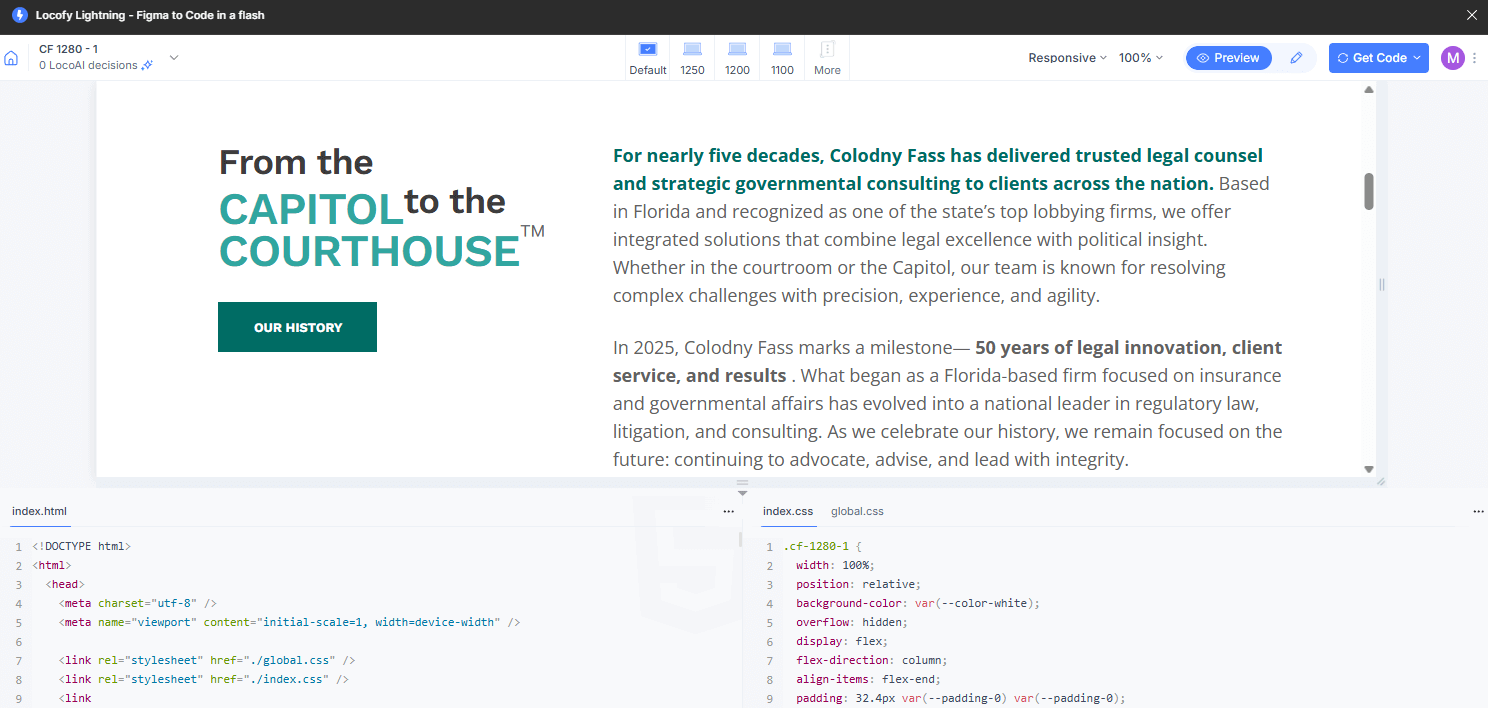
Even once the code is generated, one can expect some cleanup and code manipulation, if not full rewrites, in some areas. A well-trained human developer will have a better handle on issues such as:
- Cross-browser compatibility: Ensuring the site doesn’t break on Safari or older versions of Chrome
- Security hardening: Protecting the site from vulnerabilities
- Complex Interactions: Custom animations and logic that a machine can’t yet “feel” out
Future Possibilities
Locofy can produce a variety of different website types in different underlying technologies. It could potentially expand our technical reach into domains we work less in, with the caveat that we’d also have less experience reviewing such code output. Still, this is intriguing and speaks to the breadth of what it can offer.

Our (2025) Verdict
After putting Locofy through its paces, current impressions are both positive and negative.
- Is Locofy.ai “Cutting Edge?” Yes. The speed at which it converts visual frames into a live preview (less than 2 minutes in our test) is staggering. Then, we must remark on the variety of technologies it can work with and the well-thought-out the user experience through all these intricate steps
- Is it “Cutting Corners?” Possibly. If used without human expertise, the resulting code could lead to poorer SEO rankings or accessibility problems or a large chunk of code rework
For now, we’re keeping Locofy in our “experimental” toolkit. When we actually move to integrate such software into our workflow, we’ll want to ensure it enhances our process and code quality, not just our speed.
What you should do next . . .

Mike is a lifelong Floridian who loves all things tech and biz. He writes on the latest happenings in technology, website best practices, and accessibility.
Join our newsletter, where you will learn educational info on latest insights, tips and best practices.
Share:
About Us
Did you know more than 200 clients have worked with PaperStreet for more than 10 years?
Get a Free Website
Analysis and Consultation
Marketing Services